
Not sure what accessibility changes will have the most benefit to your existing software? Are you in the build process and need to make sure accessibility has been appropriately considered? Use this checklist as a starting point.
Every day I get up, have coffee and breakfast, and sit down at my computer for my day’s work. I’m pretty much glued to my screen, and during that 8 (10…12… depends on the day) hour day, I use a large variety of software. Because a large part of the livelihood of the graphic and/or web designer depends on the quality and reliability of the software he/she uses, I thought it would be useful to outline the software I use and consider to be “must-have” and also top marketing automation tools are important to grow the business. Some I use daily; others I don’t use quite so often, but they’re still worth outlining. Hopefully you find this useful, and hopefully you share other pieces of software you think might help others too!
Some are free; some are not; all are useful.
Caffeine
Caffeine doesn’t let your Mac go to sleep. All you do is click a little coffee cup icon in your top toolbar. Simple, useful and free.
Backblaze
Backblaze is a cloud-based file backup system. For $5 a month, we have unlimited storage that is constantly backed up. After all, having multiple drives backed up in your workspace isn’t going to do anything if your office burns down.
Hit the jump for more must-have design software!

I use Mac’s native Mail client to manage my work email. Pretty straightforward, but can’t leave it out since I use it more than anything.
Adobe Creative Suite
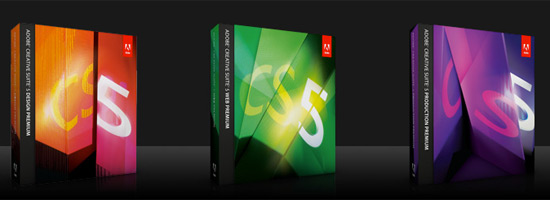
An obvious selection, but one that can’t be left out. Mainly, we use Photoshop for web design and some print; Illustrator for identity/logo design and some print; Dreamweaver for some web development; and Adobe Acrobat Pro for PDFing client files and the like. While expensive, the Creative Suite is truly a must-have for designers.
iTunes
iTunes isn’t really a necessity for designers, but I use it on a daily basis. I like listening to music while I work; what can I say? Plus, there is a plethora of useful design-related podcasts that can be downloaded through iTunes.
WorkTimer
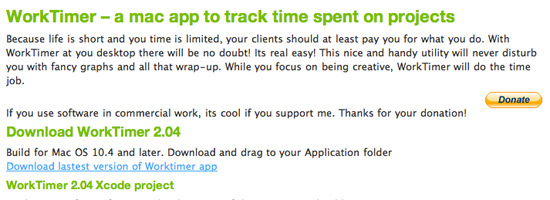
WorkTimer is a dead-simple timer application I use to keep track of how long I’m working on a client project. There are a ton of timers kicking around out there, but this one is free and easy to use. The icon is just horrendous, but that means you can make your own!
Bento
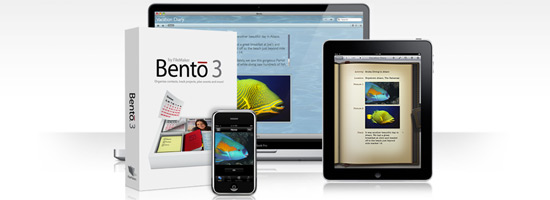
Bento is an organizational tool that integrates well with Mac OSX. I use it as a super-simple project management tool, although to be honest I don’t use it that much or to its full potential. I think soon I’ll need to switch to a better project management tool. Suggestions?
WordPress

Almost all of our client sites, and ours, run using WordPress as a CMS. It’s intuitive, easy for both web designers and clients, and free. There is a huge community behind WordPress, which means great issue tracking and goodies like plugins.
TextMate
TextMate is a beautiful text-editor/development tool for web designers on Mac. It costs $51 for a license, but you can try it for 30 days. Whenever I’m doing any in-depth development, TextMate is my tool of choice (and the tool of choice of many well-known developers in the web design community).
Transmit

A dead-simple FTP client for Mac, I use Transmit nearly every day. $34 for a license; it’s the best I’ve used for Mac so far.
MAMP
MAMP allows you to set up a local server for web development and testing. I use MAMP every time I’m developing for WordPress; it allows me to install WordPress locally, build & test, and then transfer the site to the live host. A must-have for any developer running WordPress or similar (WAMP is the Windows alternative). Free.
Snippley

Hosted on Google Code, Snippley is “a basic text and code organizational tool”. There a bunch of code snippets I reuse on near every project, whether CSS or PHP or something else. Snippley allows me to save & organize these snippets in one space, as opposed to having a bunch of text files floating all over the place. Free.
There you go! After reading through the software I use on a (near) daily basis, what would you suggest? Any alternatives?